How to Build and Deploy a Generative AI App: From Idea to Working Prototype
Building a generative AI application can feel like a big leap if you have not done it before. The gap between hearing about what these models can do and actually getting one to work for a specific task is real. Yet the process itself breaks down into a handful of clear stages. Understanding those stages is the first step toward being able to repeat them on your own projects.
This article walks through the core phases involved in creating a simple generative AI application: defining what you want the app to do, setting up the prompt logic, building a basic user interface, testing the workflow, and finally deploying the application prototype. Each stage has its own common pitfalls and practical shortcuts. Knowing what to expect helps you move faster and avoid wasted effort.
Start With the App Workflow, Not the Code
Before writing any code, the most productive thing you can do is sketch the app workflow on paper or a whiteboard. What input does the user give? What does the AI model do with that input? What output should the user see? This sounds obvious, but many builders jump straight to the model and end up with something that works technically but does not solve a real need.
For example, if you want an app that helps a user draft a short marketing email, the workflow might be: user types a product name and target audience, the app sends that to a language model with a carefully written instruction (the prompt), the model returns a draft, and the user can edit and copy it. That is a complete loop. The software requirements here are minimal: a text input field, a button, a display area, and a call to the model's API. Defining this workflow first keeps the build focused.
Set Up the Prompt Logic
Once you know what the app should do, you need to design the prompt logic. This is the set of instructions you send to the generative AI model along with the user's input. A good prompt is specific, includes examples if possible, and tells the model the format you want back.

Prompt logic is often iterative. You write a first version, test it with a handful of inputs, see what comes out, and adjust. Common adjustments include adding constraints ("keep the tone professional and under 150 words"), specifying the output structure ("return a JSON object with fields for subject and body"), or giving a few examples of good outputs. This step is where most of the real "development" happens, because the model's behaviour is shaped almost entirely by the prompt.
One thing to watch out for is prompt injection, where a user might type something that overrides your instructions. A simple safeguard is to place the user's input inside delimiters (like triple quotes) and instruct the model not to follow any commands inside those delimiters. This is basic security hygiene for any generative AI app.
Build a Minimal User Interface
With the workflow and prompt logic ready, you can build a user interface. For a prototype, this does not need to be polished. A single HTML page with a form and a result area is enough. Many builders use a lightweight framework like Streamlit or Gradio in Python, which lets you create a working UI with just a few lines of code. These tools handle the styling and the input/output wiring so you can focus on the logic.
The key principle here is to keep the interface as simple as possible. One input field, one action button, one output area. Adding too many options early on makes testing harder because you have more variables to check. You can always add features later. The goal at this stage is to have something that works end-to-end so you can see if the app actually does what you intended.
Test the Application Prototype
Testing a generative AI app is different from testing traditional software. The model does not produce the same output every time, even for the same input. So you need to test with a variety of inputs and judge the outputs against your expectations. This is where you catch problems like vague responses, hallucinations (the model making up facts), or outputs that ignore your format instructions.
A good practice is to create a small test set of realistic inputs and run them through the app after every change to the prompt logic. Keep notes on what works and what does not. Over time you will develop a sense of which kinds of inputs cause trouble and how to adjust the prompt to handle them. This testing phase is also the right time to check for issues like response time and cost. If the model is too slow or too expensive for your use case, you might need to switch to a smaller model or simplify the task.

Building a generative AI app in a structured way like this is how you develop practical AI app development skills that transfer across projects. The same pattern of defining the workflow, crafting the prompt, building a minimal UI, and testing systematically applies whether you are making a chatbot, a content generator, or a data analysis assistant.
Prepare for Deployment
Once the prototype works reliably with your test inputs, you can think about deployment. Deployment means making the app available to other people, whether that is on a public website, an internal company server, or a cloud platform. The simplest approach is to use a platform like Hugging Face Spaces, Streamlit Community Cloud, or a similar service that lets you upload your code and get a public URL in minutes.
For a more production-ready setup, you would package the app in a container (like Docker) and run it on a cloud provider. But for a first deployment, the goal is just to share the prototype and get feedback. At this stage, do not worry about scaling to thousands of users. Worry about whether the app solves the problem you set out to solve. Feedback from real users will tell you what to improve next.
What This Means for You
The entire process from idea to deployed prototype can take a couple of focused days. The skills you need are not exotic: a basic grasp of how to call an API, a willingness to write and test prompts, and enough patience to iterate a few times. You do not need to be a machine learning engineer or a seasoned developer. What matters more is the ability to think through the user's need and then wire the pieces together.
Courses and workshops that teach this end-to-end flow are becoming common because the demand for practical AI app development skills is growing fast. Professionals in roles like product management, marketing, operations, and training are finding that being able to build a simple AI tool gives them a new way to solve problems in their own teams.
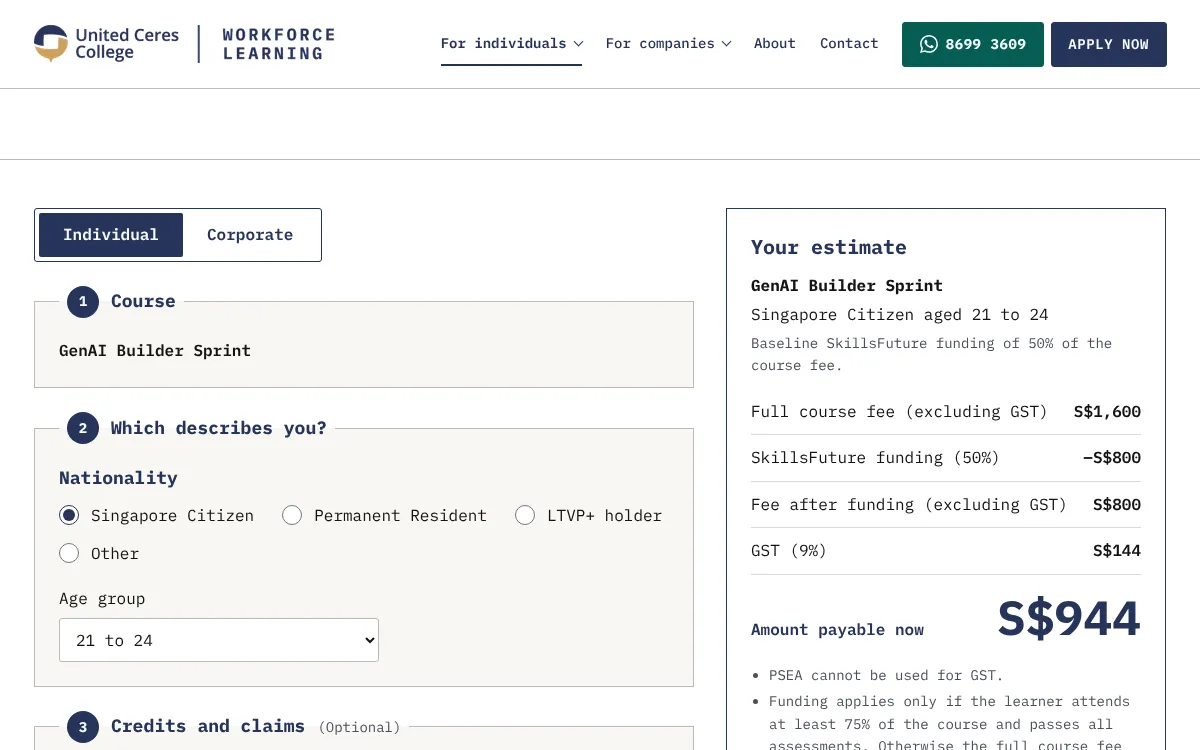
If you are considering taking a GenAI app building course, look for one that covers all the stages described here: defining the workflow, writing and testing prompts, building a simple interface, and deploying a working prototype. The best courses let you practise each stage with real tools and give you a chance to make mistakes in a guided environment. By the end, you should have a small application you can actually use or share. That is a much stronger outcome than just watching demonstrations.
The field moves fast, but the basic cycle of building, testing, and deploying stays the same. Once you have gone through it once, you will have practical AI app development skills that you can apply to any new idea that comes up. And that is the real value: not knowing a specific tool or model, but knowing how to take an idea and turn it into something that works.